Filmora Mod APK for iOS
Every day, iPhone users search for ‘Filmora Mod APK for iOS‘, hoping for the same unlocked, watermark-free editing Android users get. The results are page after page of sites promising a one-tap install — and almost all of them are fake. This guide explains, with the actual numbers of how iOS app signing works, why no real iOS mod exists, the exact problems that hit people who try sideloaded ‘mod’ apps anyway, how to undo the risky thing some of those sites ask you to install, and the options that genuinely work.
Can You Download Filmora Mod APK for iOS?
The short answer is no — and the reason is mechanical, not a matter of looking harder. APK is the Android app format; an iPhone cannot open one at all. iOS apps come in a different format (IPA), and an IPA only launches if it carries a valid digital signature Apple accepts. Android lets anyone install a modified APK with one settings toggle, so mods spread freely. On iOS there is no toggle: every copy of a modified app has to be re-signed to run, and Apple controls the signing. That is why no modded Filmora build circulates for iOS the way it does for Android — and why every site offering a ‘Filmora Mod APK iPhone download’ is misleading you from the first click.
How iOS signing actually works: the 7-day clock and the 3-app limit
Every sideloaded app on an iPhone runs on borrowed time, and the length of that time depends on which certificate signed it. Apps signed with a free Apple ID (the method tools like AltStore use) expire after exactly 7 days and must be refreshed from a computer on the same Wi-Fi network. A free account can also keep only 3 sideloaded apps active at once, and register a limited number of app IDs each week. Miss the weekly refresh and the app simply stops opening until you refresh it.
Apps signed with shared enterprise or ‘signing service’ certificates avoid the weekly chore, but they live and die together: one certificate may sign hundreds of unrelated apps, and when Apple revokes it — which happens without warning — every one of those apps dies the same morning. This is the ‘my mod stopped working overnight’ story iPhone users keep posting, and there is no fix except waiting for the service to get a new certificate and reinstalling everything.
One real change is worth knowing about: since iOS 17.4 (March 2024), users in the European Union can install alternative app marketplaces — AltStore PAL is the best known — because EU law forced Apple to allow them. It does not change anything for mods. Apps in those marketplaces still go through Apple’s notarisation, a malware and integrity check, and a modified Filmora is not distributed through any of them. If you are outside the EU, even this option does not exist.
Real Problems iPhone Users Face With “Mod” Apps
Even modified iOS apps in general — installed through third-party stores and signing services — come with problems that Android mod users never deal with. These are the issues iPhone users report again and again:
The app suddenly stops opening. A sideloaded app works fine for days, then one morning it refuses to launch. This is a certificate revocation: Apple has cancelled the developer certificate the app was signed with. Because one certificate often signs hundreds of unrelated apps, a single revocation kills all of them at once — including yours.
“Untrusted Enterprise Developer” error. Apps installed through enterprise certificates show this message until the profile is manually trusted in Settings → General → VPN & Device Management (on older iOS versions this menu is called Profiles & Device Management) — and after a revocation, trusting it no longer helps.
“Unable to verify app” or “integrity could not be verified.” These errors mean iOS checked the app’s signature and rejected it. The only fix is reinstalling with a new certificate, if one is available.
Apps expire every 7 days. The free-signing method (used by tools like AltStore) signs apps with your own Apple ID. It avoids mass revocations, but the apps expire weekly and must be refreshed from a computer, and you are limited to a few sideloaded apps at a time.
Your projects are trapped inside. When a modded app dies from a revocation, everything saved inside it can become inaccessible. Users regularly lose finished edits this way.
Why Fake Filmora Mod APK iOS Websites Are a Trap
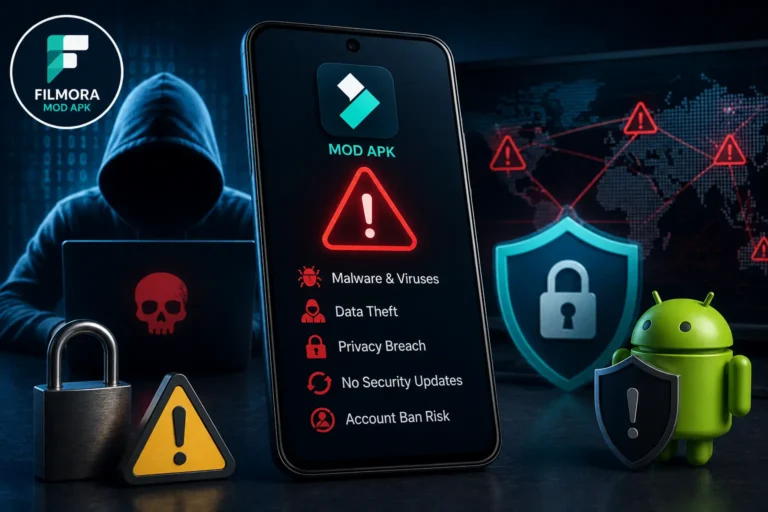
Since no real iOS mod exists, the sites ranking for this search make money in other ways: Survey scams — “Complete one offer to unlock your download” — the download never comes. Fake installers — progress bars and “installing…” animations that end at an ad page. Malicious profiles — some sites ask you to install a configuration profile; a bad profile can route your traffic, install junk apps, or worse. The rule is simple: if a website offers you an APK file for an iPhone, close the tab. The file format alone proves it is fake. For the full picture of mod-related risks, read our breakdown of Filmora Mod APK security risks.
If you already installed a configuration profile from one of these sites, remove it now: open Settings → General → VPN & Device Management, tap the profile, and choose Remove Profile. A configuration profile can change your DNS or route your traffic through someone else’s server, so treat any profile you do not recognise as unwanted.
What Actually Works: Your Real Options on iPhone
- The official Filmora app for iOS. Wondershare publishes Filmora on the App Store. The free tier is genuinely usable for basic edits, though exports carry a watermark and advanced tools need a subscription. It is the only stable, always-working Filmora on iPhone.
- Filmora Lite. Wondershare’s lighter iOS app targets quick social videos.
- Use the mod on Android or PC instead. If watermark-free exports with unlocked tools are what you actually need, the practical route is the channel where the mod truly exists: Android, or on a computer through an emulator. Our guide to Filmora Mod APK for PC shows the emulator method step by step. This is what most iPhone owners who edit seriously end up doing.
- Free iOS alternatives. VN Video Editor and the iOS version of CapCut both offer strong free tiers without watermarks on most exports.
If You Still Want to Sideload Apps on iPhone
Some users sideload other apps with AltStore, which signs apps using your own Apple ID. The trade-offs are the ones in the signing section above: a 7-day expiry with refreshes from a computer on the same Wi-Fi, a 3-app limit, and no reliable modded Filmora IPA to install anyway.
One more method exists for a shrinking set of older iPhones — permanent-signing tools such as TrollStore — but they only work on specific older iOS versions, and most iPhones in use today have updated past them. And whatever route you read about: never enter your main Apple ID password into a third-party website offering ‘one-click installs’.
Frequently Asked Questions
Why is there a Filmora Mod APK for Android but not for iOS?
Android allows installing apps from files (APKs) with a simple settings toggle. iOS requires every app to be signed through Apple’s system, so modified apps cannot be shared and installed the same way.
I installed a “Filmora mod” on my iPhone and it stopped working. What happened?
Almost certainly a certificate revocation. Apple cancelled the certificate your app was signed with, which disables the app instantly. There is no fix except reinstalling from a source with a working certificate.
Is jailbreaking the answer?
Jailbreaking removes Apple’s restrictions, but it voids warranties, breaks banking apps, and creates serious security risks. It is not a sensible trade for a video editor.
What is the best free way to edit without a watermark on iPhone?
VN Video Editor’s free tier, or editing in the official Filmora iOS app and finishing the project on Android or PC where watermark-free export is available.
Do the EU’s alternative app stores (like AltStore PAL) have a Filmora mod?
No. Since iOS 17.4, EU users can install alternative marketplaces, but every app in them is still notarised by Apple, and none of them distributes modified apps. AltStore PAL carries indie apps and emulators — not mods of paid apps like Filmora.
I installed a profile from a ‘Filmora iOS mod’ site. How do I remove it?
Open Settings → General → VPN & Device Management, tap the profile you do not recognise, and tap Remove Profile; restart the phone afterwards. If the profile cannot be removed there, it may have installed management restrictions — back up your data and consider a factory reset, because a managed device can have its traffic monitored.
Final Verdict on Filmora Mod APK for iOS
There is no working Filmora Mod APK for iOS, and every download offered for it is fake or will stop working within days due to Apple’s certificate system. iPhone users are better served by the official Filmora app for everyday edits — and by Android or PC for the fully unlocked, watermark-free experience. Do not waste time (or risk your Apple ID) on sites promising otherwise.